
Mybatis基本教程

一、Mybatis与JPA对比
参考链接:https://baijiahao.baidu.com/s?id=1654809256030559190&wfr=spider&for=pc
二、Mybatis的基本配置
1、引入mysql与mybatis依赖
<dependency>
    <groupId>mysql</groupId>
    <artifactId>mysql-connector-java</artifactId>
</dependency>

<dependency>
    <groupId>org.mybatis.spring.boot</groupId>
    <artifactId>mybatis-spring-boot-starter</artifactId>
    <version>2.1.0</version>
</dependency>
2、在application.yml中进行配置
(1)数据库驱动配置
spring:
  datasource:
    driver-class-name: com.mysql.cj.jdbc.Driver
    username: root
    password: root
    url: jdbc:mysql://127.0.0.1:3306/mall?characterEncoding=utf-8&useSSL=false&serverTimezone=UTC
(2)驼峰变量名与表下划线字段正确对应配置
mybatis:
  configuration:
    map-underscore-to-camel-case: true
3、创建pojo类
创建与数据库中表对应的类,并通过@Data注解自动配置了get、set、toString方法(需先安装lombok插件)
@Data
public class Category {
    private Integer id;

    private Integer parentId;

    private String name;

    private String status;

    private Integer sortOrder;

    private Date createTime;

    private Date updateTime;
}
三、Mybatis的注解方式使用
1、在dao包下创建接口类
2、在类上添加@Mapper注解,该注解的作用是在编译之后会生成相应的接口实现类(也可以不添加该注解,在启动类上添加@MapperScan(“dao完整包名”))
3、在类中添加需要的方法,并在方法上添加注解并写上sql语句
@Mapper
public interface CategoryMapper {

    @Select("select * from mall_category where id = #{id}")
    Category findById(@Param("id") Integer id);
}
4、在测试类中进行测试
@RunWith(SpringRunner.class)
@SpringBootTest
public class MallApplicationTests {

    @Autowired
    private CategoryMapper categoryMapper;

    @Test
    public void contextLoads(){
        Category category = categoryMapper.findById(100001);
        System.out.println(category.toString());
    }
}
四、Mybatis的Xml方式使用
1、创建接口类并定义对应方法,与注解方式相比不需要在方法上添加注解
@Mapper
public interface CategoryMapper {

    @Select("select * from mall_category where id = #{id}")
    Category findById(@Param("id") Integer id);

    Category queryById(Integer id);
}
2、在resources目录下新建mapper包,再创建对应mapper的xml文件

3、在application.yml中配置mapper-location,告知Mybatis xml的存放位置
mybatis:
  configuration:
    map-underscore-to-camel-case: true
  mapper-locations: classpath:mapper/*.xml
4、在mybatis官网https://mybatis.org/mybatis-3/getting-started.html找到xml的示例,复制其头部
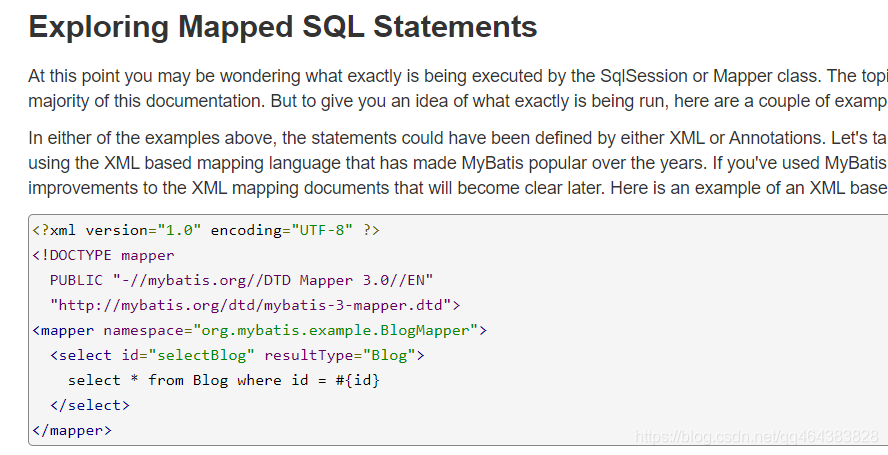
5、完成mapper部分。
- namespace中填写对应的mapper的完整包名
- id中填写方法名
- resultType中填写返回值类型
- 完成sql语句,别用select *,把字段都打出来,防止之后表新加了字段,程序没变但是查出了新的字段,另外也使sql语句具有可读性。把所有字段定义在外面,再在sql语句中通过refid引入。
<mapper namespace="com.imooc.mall.dao.CategoryMapper">
    <sql id="Base_Column_List">
        id, parent_id, name, status, sort_order, create_time, update_time
    </sql>

    <select id="queryById" resultType="com.imooc.mall.pojo.Category">
        select
        <include refid="Base_Column_List"/>
        from mall_category
        where id = #{id}
    </select>
</mapper>